Zoqa ZZP Facturatie
Handle your invoices in Google Sheets™.
Start with a blank spreadsheet, create the invoicing workbook from the add-on, then work in a familiar spreadsheet. The PDF is saved in your own Google Drive™, and you keep track of what is still outstanding.
New invoice
Invoice where you already work
Start with a blank spreadsheet and choose Extensions > Zoqa ZZP Facturatie > Create invoicing workbook. The add-on creates the required sheets and settings. Then choose your customer and fill in the invoice lines.

Finalise
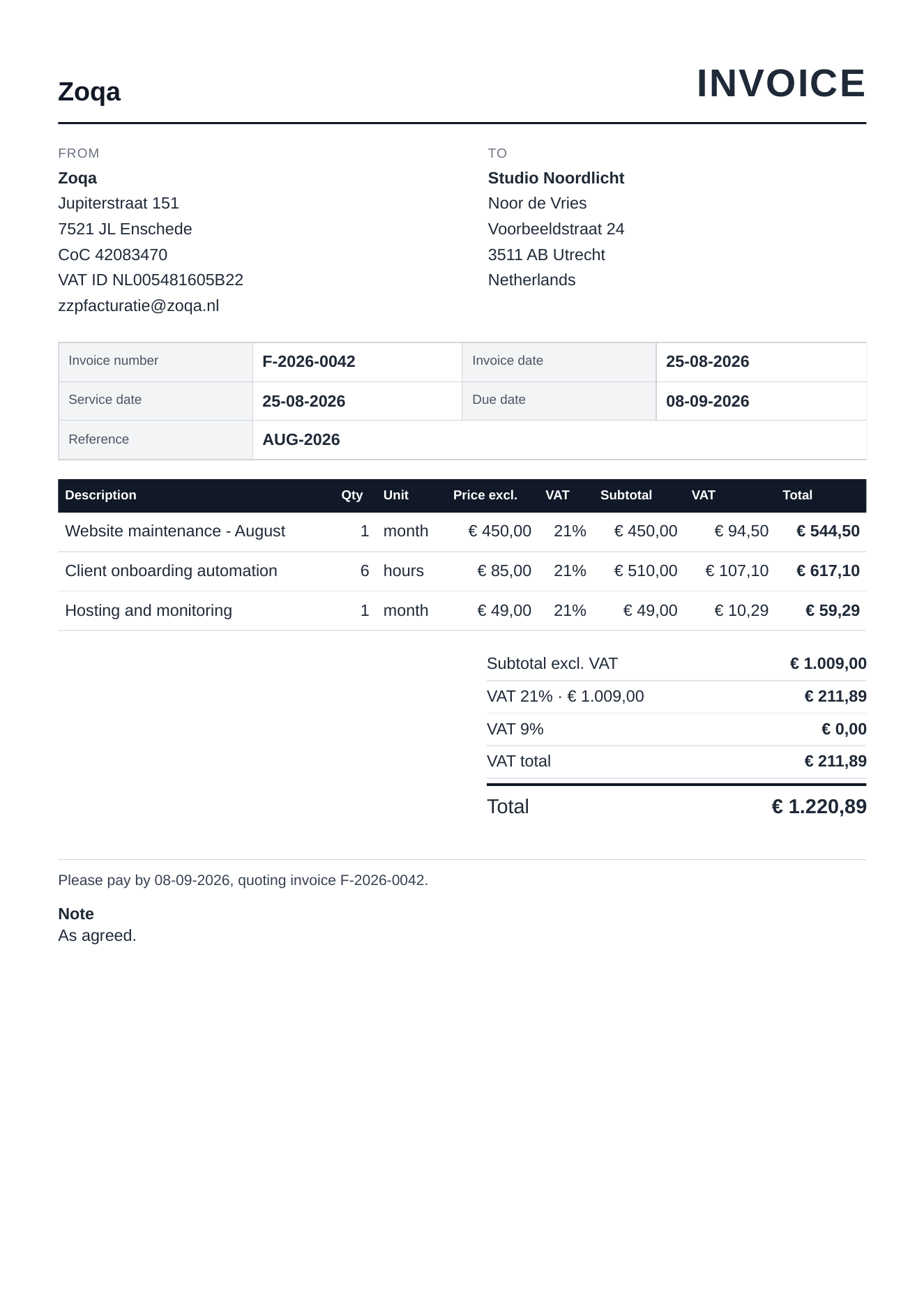
Done? The PDF is in your own Google Drive™
When you finalise an invoice, the add-on checks it and records what was sent. After that you track payments in the same spreadsheet.
What it handles
What it does and doesn't do
You decide when an invoice is final.
Domestic Dutch invoices in EUR with 21% and 9% VAT, including mixed rates on one invoice. A separate KOR mode is available.
The invoice number continues from your settings, and only moves on when you finalise an invoice.
Each invoice lands in a year folder in your own Google Drive™.
You tick off payments and see straight away what is still outstanding.
Your Google environment
Your customer and invoice data stays in your own Google Sheets™ spreadsheet.
The PDFs are stored in your Google Drive™. You manage access and storage to your own data.
For licensing, the add-on checks which Google account is active. The exact processing is described in the product privacy notice.
Scope
Who this is for
The product is for freelancers and other small businesses with a straightforward domestic Dutch invoicing flow. Purchases, bank connections, tax filings, international VAT and credit notes need another process.
Available editions: Nederlands · English · Nederlands + العربية assistance.
Practical
Frequently asked questions
Is this accounting software?
No. It creates sales invoices and tracks what has been paid. For tax filings, purchase accounting and annual accounts you need something else.
Where are my invoices and customer data stored?
In your own Google Sheets™ spreadsheet. The PDFs are stored in your Google Drive™. The app does not send your invoice data to a Zoqa database.
Does the add-on read my Gmail?
No. The add-on requests no Gmail access. You send the PDF yourself from your own email application.
Can I move my licence to another Google account later?
Yes. After verifying your purchase, Zoqa can transfer the licence manually.
Licence
€49 excl. VATBy purchasing, you agree to the terms and the privacy information.
Google Sheets™ and Google Drive™ are trademarks of Google LLC.